Both halves of the suite read the same syntax, and it is
Generic Directives — one
league/commonmark extension, implemented in markdown-office/commonmark-generic-directives.
A directive is a run of colons, a name, and optionally a label and some attributes. The number of colons is the whole difference between the three shapes, and it is what makes the syntax readable at a glance:
| Shape | Written | Contains | Node |
|---|---|---|---|
| Text | :name[label]{attrs} |
nothing — it sits in a paragraph | DirectiveInline |
| Leaf | ::name[label]{attrs} |
nothing — it is one line | DirectiveBlock |
| Container | :::name{attrs} … ::: |
any Markdown | DirectiveBlock |
There is no fourth shape. Four spaces of indent is a code block in CommonMark, not a directive,
and {…} is a modifier available on all three shapes rather than a shape of its own.
What each half does with a name
Here the two packages make opposite decisions, and both are defensible.
Markdown Word is permissive. It draws exactly two directives — ::toc and :footnote — and
renders every other name as its own source text. A document nobody intended as a set of
directives keeps working, and the text an author wrote is what a reader sees.
Markdown Presentation has a closed set. Anything outside it fails the build with a message naming what would have worked. A deck is a thing a person presents, and a slide with the wrong thing on it is worse than a deck that did not build.
Both then agree on one thing: an unrecognised directive is never silently dropped.
- Word directives —
::toc,:footnote, and the rest rendered as text. - Presentation directives —
::click,:::click,::column,::note, and the refusals. - The syntax itself — every rule, including the ones that surprise people.
The exact grammar
Names are a letter followed by letters, digits, _ and -. There are no namespace prefixes in
the document syntax: w:toc is not a thing, and a name that needs one is two names.
The Markdown
Status :green[go] before lunch.

:::note
This container is not one this library draws.
:::

::somethingelse{key=value}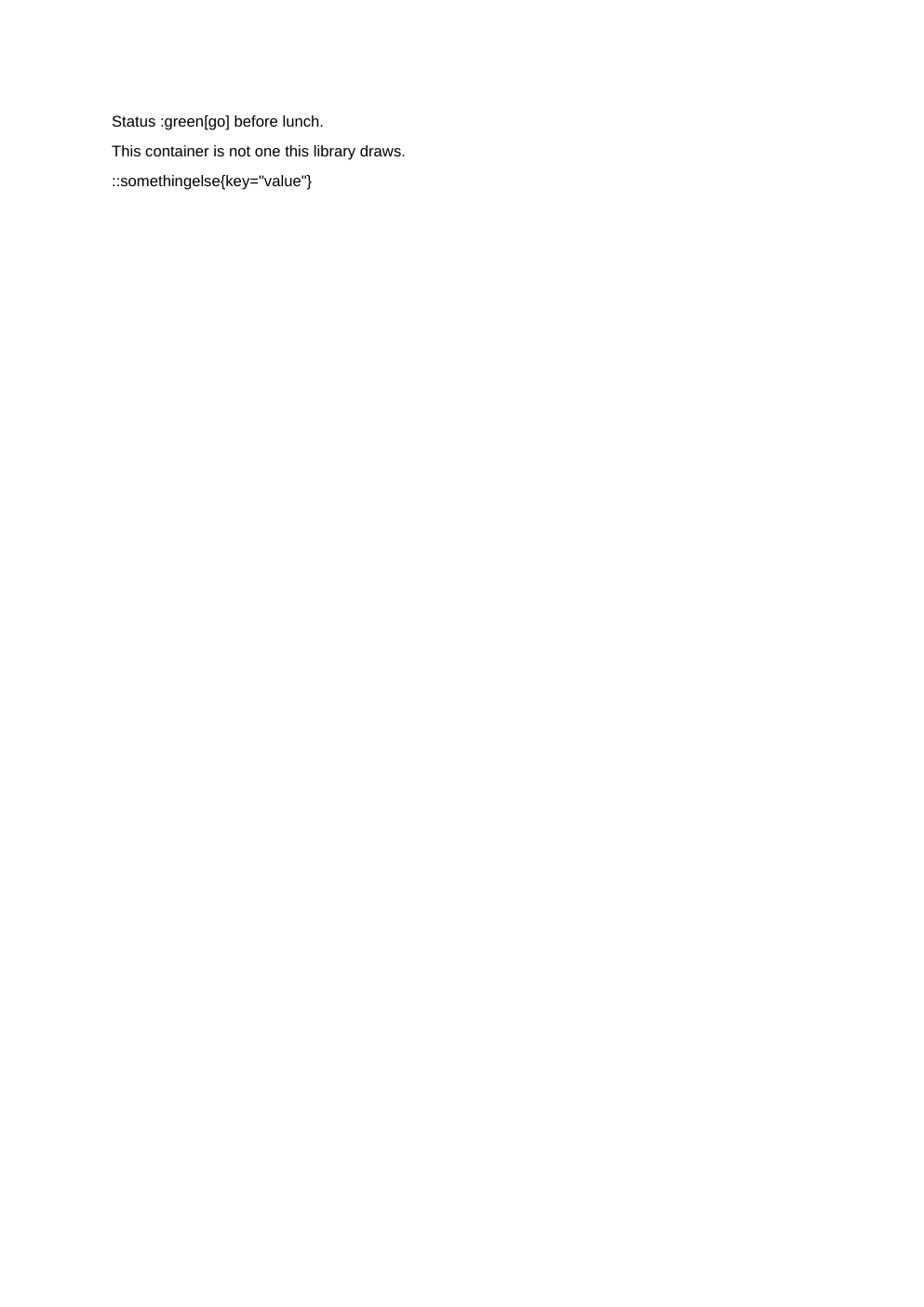
Every line above parses. None of them is a Word directive, so none of them is drawn — they are written into the document exactly as typed, which is what the output above is showing.
Registering your own
The directives package is usable on its own. A renderer over the node, and a registry if you want the parser to refuse what you have not listed:
use League\CommonMark\Node\Node;
use League\CommonMark\Renderer\ChildNodeRendererInterface;
use League\CommonMark\Renderer\NodeRendererInterface;
use MarkdownOffice\CommonMark\Directive\Node\DirectiveBlock;
use MarkdownOffice\CommonMark\Directive\Directive\DirectiveRegistry;
use MarkdownOffice\CommonMark\Directive\GenericDirectiveExtension;

final class CalloutRenderer implements NodeRendererInterface
{
    public function render(Node $node, ChildNodeRendererInterface $childRenderer): \Stringable
    {
        \assert($node instanceof DirectiveBlock);

        return sprintf(
            '<aside class="callout callout--%s">%s</aside>',
            \htmlspecialchars($node->getAttributes()->getString('type', 'note')),
            $childRenderer->renderNodes($node->children()),
        );
    }
}

$environment->addExtension(new GenericDirectiveExtension(
    new DirectiveRegistry(['callout', 'badge:text']),
));

$environment->addRenderer(DirectiveBlock::class, new CalloutRenderer(), 10);
match is written without a leading backslash above for the same reason it is in this project:
\match is a parse error, because PHP lexes it as a namespaced name rather than the keyword.
A registry with entries is strict. An empty one is permissive, which is what the RFC describes and what both halves of this suite rely on. The mode worth running in is the strict one, when a machine is writing the Markdown: the alternative to an error is a document that renders without the block it asked for and says nothing about why.
Note the :text suffix in 'badge:text' — that is how a registry narrows a name to one shape.
It is a registry spelling, not a document one.
Every example on this page was built by the library it documents while this page was built. This page as Markdown.